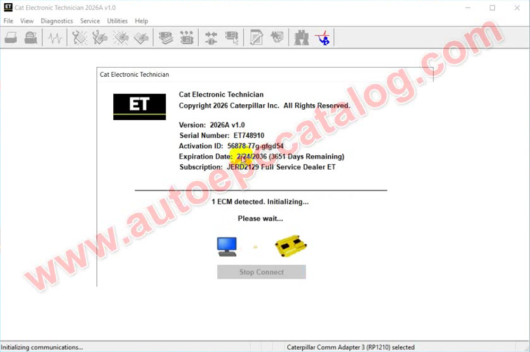
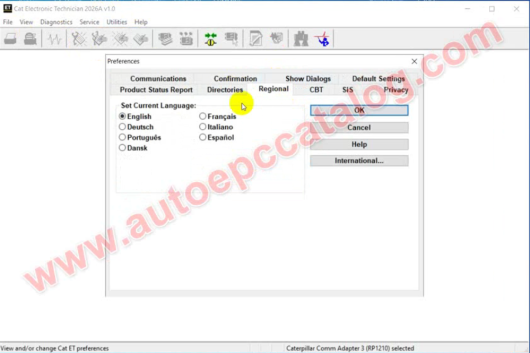
Description Caterpillar CAT ET 2026A 2025A & 2019C with Factory Password Calculator Caterpillar ET 2026A allow service technicians to perform machine diagnostics,reprogram ECMs,reconfigure control system parameters,fine tune performance or diagnose the root cause of a failure the first time. CAT ET 2026A service tool is designed to run on a personal computer (PC) under Microsoft® Windows®. It will communicate with the Electronic Control Modules (ECMs) through a communication data link, allowing existing and potential problems to be diagnosed, products to be configured, and data to be obtained for analysis. CAT ET2026A service tool communicates with any system using ATA (J1708), J1939 or the Caterpillar proprietary data link networks. The service tools provide information and features needed to help a technician diagnose problems and perform repairs and to customize and personalize the operation of a product. By allowing customers to design flexibility and configurability into a product, Caterpillar service tools stretch beyond the capabilities of preprogrammed ECMs or onboard display systems. When connected to an Electronic Control Module (ECM), a technician has the ability to diagnose existing and potential problems, configure the product, and obtain data for analysis. This program works with the dealer diagnostic scanner Caterpillar Communication Adapter as well as RP1210 compatible diagnostic adapters such as Nexiq, DPA5 and others. If you need Spare Parts Catalogue for CAT,please check here:2021 Caterpillar SIS CAT SIS Software Download & Installation Service Note:This price only for one pc installation,if you want to install it for more pc,you need pay times.After payment,you will get the download link automatically,then please contact us to install it for you. CAT ET 2026A Diagnostic Software Features: Date Version:2026A & 2025A & 2019C Languages:Multi-languages OS:Window7,Window8 and Windo10 CAT ET Subscription:JERD2129 Full Expiration:Never Expired Recommend Interface:Caterpillar ET4 Adapter (1:1 Made) It with built-in 10 digits Factory password calculator (Press “Ctrl F2”),and this is only Free in 2026A 2025A,if it can not work well,you need buy Caterpillar 10 digits Factory Password Calculator ONE year Free After-sale,if your software get error,tech team will fix it for you. CAT ET 2026A Price: My team provide CAT ET 2026A price $119,someone ask why it is a little more expensive than other sellers.Here is the answer,because my team provide one year free after-sale service.For same PC and same Windows,my team will help you to solve CAT ET software problem free within one year.Other seller maybe sell it cheaper,but they don’t provide free after-sales service.Like AliEpress sellers,they only help in 1 month if CAT ET get error. CAT ET 2026A License My team provide CAT ET 2025A license 10 years,it mean lifetime CAT ET 2025A license for your PC.But you need keep your PC safe.If your PC hardware broken or Windows system need reinstall,it can not provide free after-sale service. CAT ET 2026A Subscription CAT ET 2025A subscription JERD2129 Full Service Dealer ET level,it is top authorization for CAT ET 2025A CAT ET 2026A Diagnostic Software Functions: Displays parameter status Displays active diagnostics Clear and View logged diagnostics Performs Diagnostic tests Print reports and diagnostic results Perform calibrations Displays current totals information i.e. fuel consumption, operating hours, etc. Uploads new software (Flash Files) to ECM’s Integration to help files Creates engine warranty reports CAT ET 2026A/2025A/2019C PC System Installation Required: PC, Communication Hardware, and Cable Requirements To run the service tool, the following PC, communication hardware, and cable requirements must be met. NOTE: The minimum configuration requirements should not be used as a standard when buying new PCs for service tool purposes. If the existing equipment meets these minimum requirements, it will run the service tool. PC Requirements Minimum Requirements • 2 GHz processor with multiple cores • 2GB RAM • 2GB of available hard disk drive • Screen with 1366×768 or higher resolution • Microsoft Windows™ 10 Home, Pro or Enterprise, or Microsoft Windows™ 11 Home or Pro Note: The Microsoft Surface Pro is supported. • A pointing device, such as a mouse or touchpad, or touch screen • Microsoft Edge v80 or newer, Google Chrome, Mozilla Firefox, or any Chromium based browser • A method to install the software, such as a reliable internet connection, USB drive,DVD drive or CD drive Recommended Requirements • 2.0 GHz processor with 4 cores • 4GB RAM • 5GB of available hard disk drive • 15.4 inch screen with 1600×1200 or higher resolution •Windows™10 Home, Pro or Enterprise, or Microsoft Windows™ 11 Home or Pro Note: The Microsoft Surface Pro is supported. • A pointing device, such as a mouse or touchpad, or touch screen • Microsoft Edge v80 or newer, Google Chrome, Mozilla Firefox, or any Chromiumbased browser • A method to install the software, such as a reliable internet connection, USB drive,DVD drive or CD drive Communication Adapter Requirements • 9-pin RS232 serial port or USB-to-serial adapter (for use with Comm Adapter II and certain Product Link modules) • USB 1.1, 2.0 or 3.0 port, (use with Comm Adapter 3) • Ethernet RJ45 connector (for use with Ethernet service) • Wi-Fi (for the Wireless Comm Adapter 3) CAT ET 2026A 2025A only support Win10 and Win11,both can not support Win7 And CAT ET 2019C support WIN7 CAT ET 2026A Diagnostic Software Test on Caterpillar C7.9 Engine ECM: CAT ET 2026A Support Models: Engines: Electric Power Electric Power Generation Industrial Marine Power Systems Oil and Gas Machines: Articulated Trucks Asphalt Pavers Backhoe Loaders Cold Planers Compactors Dozers Drills Excavators Feller Bunchers Forest Machines Forwarders Harvesters Hydraulic Mining Shovels Knuckleboom Loaders Material Handlers Motor Graders Off-Highway Trucks Pipelayers Road Reclaimers Site Prep Tractors Skid Steer and Compact Track Loaders Skidders Telehandlers Track Loaders Underground – Hard Rock Underground – Longwall Underground – Room and Pillar Utility Vehicles Wheel Dozers Wheel Excavators Wheel Loaders Wheel Tractor-Scrapers CAT ET 2026A User Manual PDF There is several CAT ET User Manual PDFs files in CAT ET Help menu option. Run CAT ET software Click “Help” option on menu bar Select “Getting Start Guide”,then you will find the CAT ET User Manual PDF files If you need more repair case guide,please buy this one:Caterpillar ET Diagnostic Software Beginner Video Guide CAT ET Diagnostic Software Update Log: 2026A TOP Open Report File Feature Update TOP New security models no longer allow XML files to be opened in browser windows. The “Report File” function on the File => Open menu now creates an HTML file when an XML file is opened. This restores the ability to open report files created in the service tool in a browser. 2025C TOP EBIZ Email Removed TOP The Ebiz email in-box retired on October 26th, 2025. It was replaced by [email protected]. This email in-box is not monitored and should only be used to submit service tool files requested by IT support personnel. All other issues should be handled using Chat-IT via ITatWork. This is a virtual agent and live chat tool used to assist with user queries. Users can also contact local IT Service Centers for additional support. 2025B TOP EBIZ Email Removal TOP The Ebiz email in-box will retire on October 26th, 2025. This will be replaced by [email protected]. This email in-box is not monitored and should only be used to submit service tool files requested by IT support personnel. All other issues should be handled using Chat-IT via ITatWork. This is a virtual agent and live chat tool used to assist with user queries. Users can also contact local IT Service Centers for additional support. Trainer Update – 140-16 Motor Grader TOP The 140-16 Motor Grader has been added to the Trainer application. Trainer Update – 627 Wheel Tractor-Scraper TOP The 627 Tractor-Scraper has been added to the Trainer application. What’s New – Updates by Version 2024C Automatic Connection Preferences Users are now able to change multiple automatic connection preferences for the service tool and WinFlash. After navigating to the Preferences dialog, users may enable the service tool to connect automatically when opened in service and/or flash mode. Both options may also be disabled if the user wishes to connect manually. 2024B No significant new features or feature enhancements Automatic Product Status Report (PSR) Upload The service tool includes a new tool that automatically uploads Product Status Reports. The tool scans for newly generated Product Status Reports and uploads them when an internet connection is available. The default is that automatic report uploading is enabled. The Preferences dialog has an option to disable the tool. ECM Naming Changes Certain ECMs connect to the service tool over two data links at the same time. The service tool shows a message popup when the ECM is only detected on one link. The service tool has been changed to add the text **INCOMPLETE** in the ECM name when the connection is incomplete. Service tool features that display a connection icon also use a new icon for an incomplete connection. No significant new features or feature enhancements CEOS Fleet Configuration File TOP A CEOS (Customer Electronic Option Selection) Fleet Configuration File can be created/modified for an engine using the Service Tool. This is available in connected and disconnected mode. Error When Launching Service Tool There is a Microsoft issue with upgrading libraries during an installation involving certain versions of the C redistributable. After a successful service tool installation, when trying to run the service tool for the first time, one of the following errors may occasionally appear: “The entry point could not be located in api-ms-win-crt-runtime” or “The program can’t start because mfc140u.dll is missing from your computer.” If either of these messages is displayed, please let us know and we will send you to step by step troubleshooting guide. This procedure requires administrator rights. Service Tool License Corruption Issues with Windows 10 Updates Windows 10 updates 1709 and 1803 will corrupt service tool licenses. Future Window 10 updates may do the same If either of license error messages is displayed, please let us know and we will send you to step by step troubleshooting guide. Trainer Update – 988K XE Wheel Loader The 988K XE Wheel Loader has been added to the Trainer application. Preferences Option to Save a Product Status Report to PDF The Preferences dialog for the Product Status Report has changed. The dialog contains a new checkbox to automatically save a Product Status Report as a PDF file when the report is created. The service tool will continue to automatically save Product Status Reports as an XML file. Product Status Report Updates The Product Status Report has been updated to include certain history features supported by the ECM, such as the after-treatment Regeneration History and the Service Test History. Winflash Screen Update The screen for the Winflash feature has been updated. A new Expand All button opens all sections of the screen to show all details for ECMs detected by WinFlash. A new Collapse All button hides all sections of the screen, except for header rows showing detected ECM names CAT 2023A Graphing Colors The color schemes for features that use graphing, such as Real Time Graph, Data Logger, or Histograms, have been changed. Additionally, the manual color selection process for the Real Time Graph and the Data Logger features has been updated. User selected graph colors are now maintained through any disconnections, and only change when the user chooses to revert to the default color settings or selects different graph colors manually 2022B New Hot Key to Reposition Service Tool Window When the service tool window is not showing in the viewable area, there is now a hot key to allow the user to recover the window. CTRL-ALT-H will reposition the window in the viewable area. The original window proportions will be preserved, unless they exceed the main monitor size. In such cases, the window will be resized to fit the main monitor dimensions. 2021A No significant new features or feature enhancements 2020C No significant new features or feature enhancements 2020B Trainer Update – 299D3 The 299D3 Skid Steer Loader has been added to the Trainer application. 2020A Product Status Report Updates The Product Status Report has been updated to include throttle configuration information. Built-in Factory Password Generator The experimental feature allows you to decode (18-Bit passwords not supported) factory passwords 2019C Indication of Selected Communications Adapter The service tool now displays the selected communications adapter when the service tool is disconnected. The adapter name is displayed in the status area at the bottom right of the service tool window. End of Support for Windows 7 Microsoft is ending extended support for Windows 7 as of January 2020. The service tool will be ending support for Windows 7 as of the 2020A release. 2019B Automatic Product Status Report (PSR) Upload The service tool includes a new tool that automatically uploads Product Status Reports. The tool scans for newly generated Product Status Reports and uploads them when an internet connection is available. The default is that automatic report uploading is enabled. The Preferences dialog has an option to disable the tool. 2019A ECM Naming Changes Certain ECMs connect to the service tool over two data links at the same time. The service tool shows a message popup when the ECM is only detected on one link. The service tool has been changed to add the text **INCOMPLETE** in the ECM name when the connection is incomplete. Service tool features that display a connection icon also use a new icon for an incomplete connection. 2018C No significant new features or feature enhancements 2018B CEOS Fleet Configuration File TOP A CEOS (Customer Electronic Option Selection) Fleet Configuration File can be created/modified for an engine using the Service Tool. This is available in connected and disconnected mode. Error When Launching Service Tool There is a Microsoft issue with upgrading libraries during an installation involving certain versions of the C redistributable. After a successful service tool installation, when trying to run the service tool for the first time, one of the following errors may occasionally appear: “The entry point could not be located in api-ms-win-crt-runtime” or “The program can’t start because mfc140u.dll is missing from your computer.” If either of these messages is displayed, please let us know and we will send you to step by step troubleshooting guide. This procedure requires administrator rights. Service Tool License Corruption Issues with Windows 10 Updates Windows 10 updates 1709 and 1803 will corrupt service tool licenses. Future Window 10 updates may do the same If either of the license error messages is displayed, please let us know and we will send you to step by step troubleshooting guide. 2018A Trainer Update – 988K XE Wheel Loader The 988K XE Wheel Loader has been added to the Trainer application. 2017C Preferences Option to Save a Product Status Report to PDF The Preferences dialog for the Product Status Report has changed. The dialog contains a new checkbox to automatically save a Product Status Report as a PDF file when the report is created. The service tool will continue to automatically save Product Status Reports as an XML file. 2017B Product Status Report Updates The Product Status Report has been updated to include certain history features supported by the ECM, such as the after-treatment Regeneration History and the Service Test History. Winflash Screen Update The screen for the Winflash feature has been updated. A new Expand All button opens all sections of the screen to show all details for ECMs detected by WinFlash. A new Collapse All button hides all sections of the screen, except for header rows showing detected ECM names. CAT ET 2026A Troubleshooting Tips and Error Code Information Tips for Common Issues Power Management – Communication to the ECM may be interrupted if the PC “suspends.” Turn off Power management (for example, a screen saver or “sleep” mode) when using the service tool. Infrared Communication Problems – Computers supporting infrared communication may experience some communication problems with the service tool. Disabling the infrared option is recommended. Please contact the computer manufacturer for help with this procedure. Disk Defragmentation/Disk Compression – The service tool will remain unaffected by Disk Defragmentation and/or Disk Compression as long as the defragmentation/compression programs do not move hidden files or system files during the process. Administrative Rights – Administrative rights are required to a) install Cat Electronic Technician for the first time and b) upgrade from a previous release CAT ET 2026A Download Link: 2021A: https://mega.nz/file/WskzhRpB#cXwxecE38BLk07X8V9YMmVeIdzU_mAffK40-jjf8Sr8 2022A: https://mega.nz/file/ioVGVbzI#oYXSNiNynutwGCpCxKr2hu7lzq3vBaAkF3PXZIyMgBg 2023C: https://mega.nz/folder/fdcEFZTL#aM21gfvBiUaVLenY4hR36B 2024A: https://mega.nz/folder/bB4nlTxC#Z5HJqecqOtQ6L7vKIdoWCw CAT ET 2026A FAQs: Question 1:How long CAT ET 2024A license time? Answer 1:License 10 years Question 2:Which type subscription your team offer? Answer 2:All CAT ET software my team installed is dealer version with JERD2129 Full top level Question 3:Your team’s CAT ET support flashing function? Answer 3:Yes,of course.It supports WinFlash function well,but you need check if your CAT adapter 3 support it.As some customers feedback,some fake Cat adapter 3 can not work well on flashing function. Question 4:How long warranty it is? Answer 4:My team provide one year free after-sale service.If your CAT ET get error,my team will help you solve it free for you within one year.But it limited on same Windows PC. Question 5:Can i install CAT ET by myself? Answer 5:Yes,you can install it by yourself,but CAT ET installation requires some Windows settings.If you can not do that CAT ET can not work well.It will waste your time. How to Install CAT ET 2026A? Note:Before installation please disable your PC anti-virus software,otherwise installation files will be killed. 1.Install CAT ET 2024A setup file,just click default option to finish it. 2.run HWID7.exe,then save the HWID.txt file to send it to my team.My team will send you license file 3.copy all files in Comet folder to C:\Program Files (x86)\Common Files\Offboard Information Products\2024A\Comet copy all files in Flash folder to C:\Program Files (x86)\Common Files\Offboard Information Products\2024A\Flash 4 copy and paste license files 2024A.lic to C:\Program Files (x86)\Common Files\Offboard Information Products\2024A\Comet copy and paste license files 2024A.lic to C:\Program Files (x86)\Common Files\Offboard Information Products\2024A\Flash 5 Double click set_level.reg file to add it to PC registry. Finish,and recommend to disable PC anti-virus and Windows Update,both will cause CAT ET 2024 cannot work well CAT ET 2026A Package Included 1 x one PC remote CAT ET 2025 installation Service 1 x one year free afters-sales service